An ordinary reminder app names the time - and that is it
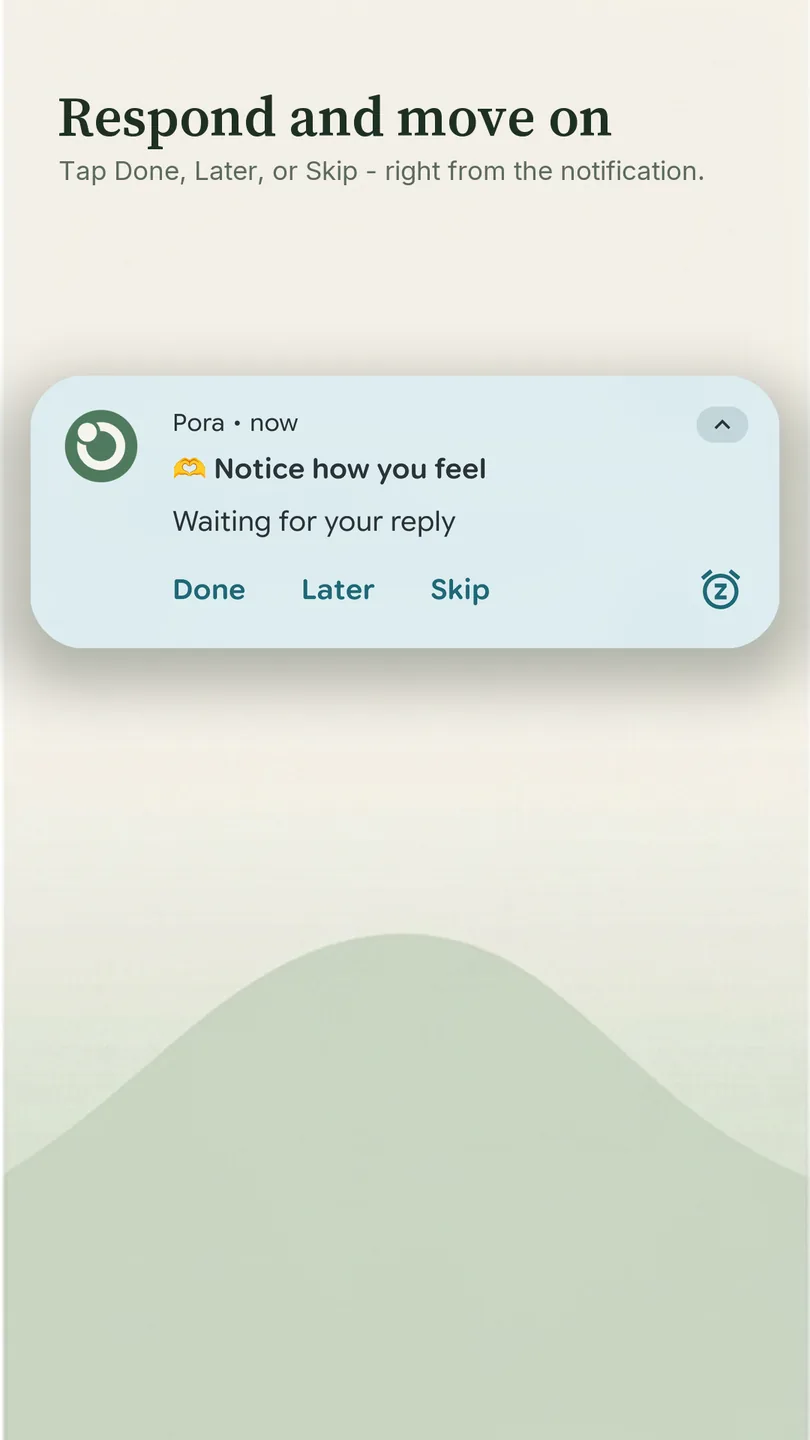
An alarm rings and goes quiet. A note lies there and says nothing. Press an ordinary notification and the app opens, leaving you to mark the thing by hand; swipe it away and an hour later it is already “I think so” - and a week later nothing is left in the phone but a feeling. Here the reminder waits for an answer right in the shade - Done, Later or Skip - and the answer stays in the history.
One reminder instead of a dozen alarms
Water, a stretch, a breath, an evening practice - in the clock app each one needs an alarm of its own, and more than one: water every two hours from nine to six is already five. That is how you end up with a dozen, and every one of them has to be set, labelled and moved by hand whenever the day shifts.
In the clock app
In Pora
💧 Drink a glass of water
Here it is a single reminder. You set the rule once - weekdays, every two hours, from 09:00 to 18:00 - and it lays out the day on its own: one card in Today that shows how many times are left and when the next one is due, and nothing on Saturday. If a task has no hour of its own, let it come at random inside that same window. When the working day shifts, you change one rule rather than each alarm in turn.
How it works
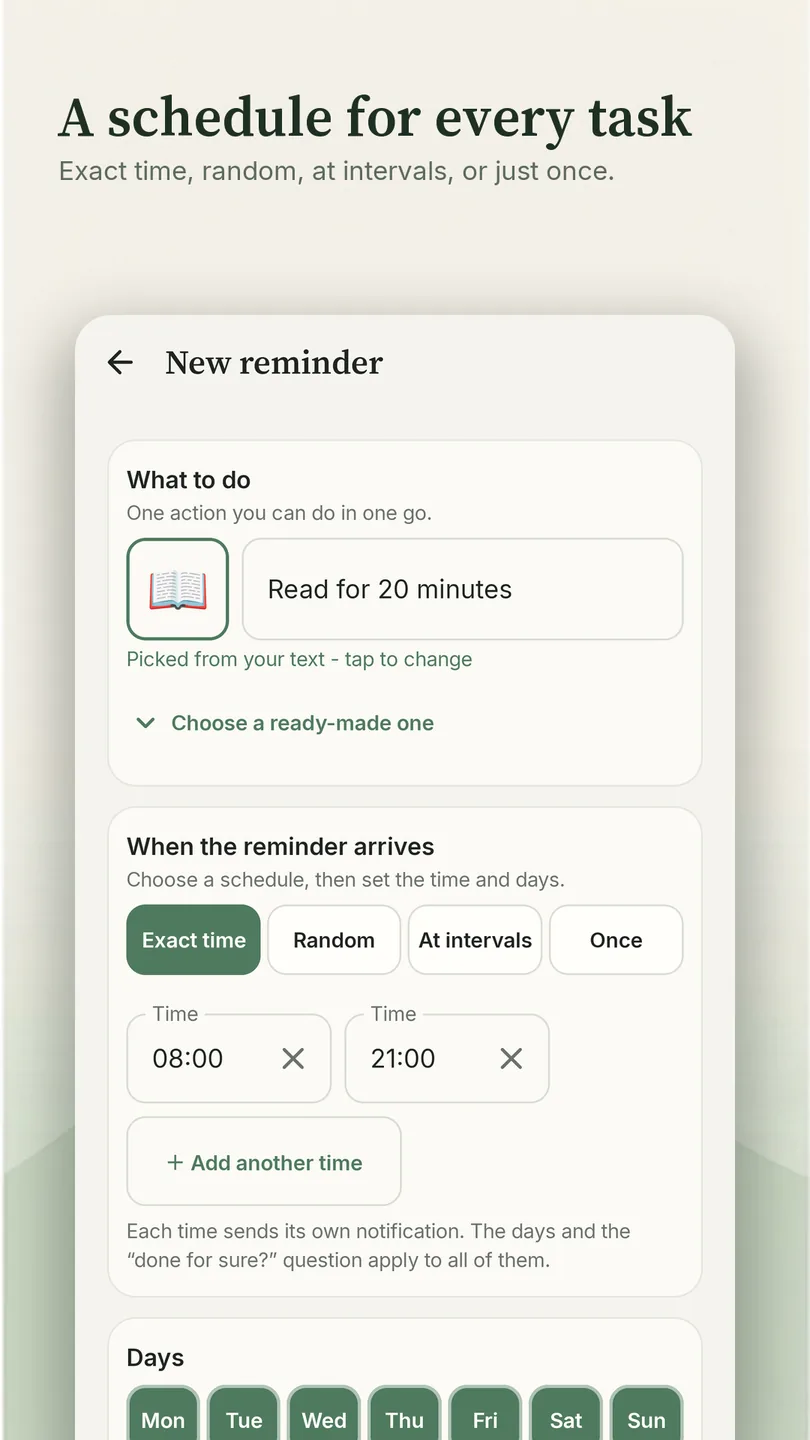
- Create a reminder in a couple of taps: pick a ready-made template or write it in your own words.
- At the right moment a notification arrives showing the action itself and its emoji instead of the word "Reminder". You spot it in the shade right away, even among messengers.
- Answer with a button right there in the shade - the thing is marked, and you never had to open the app.
Wrong button? You can correct the mark afterwards and add a note.
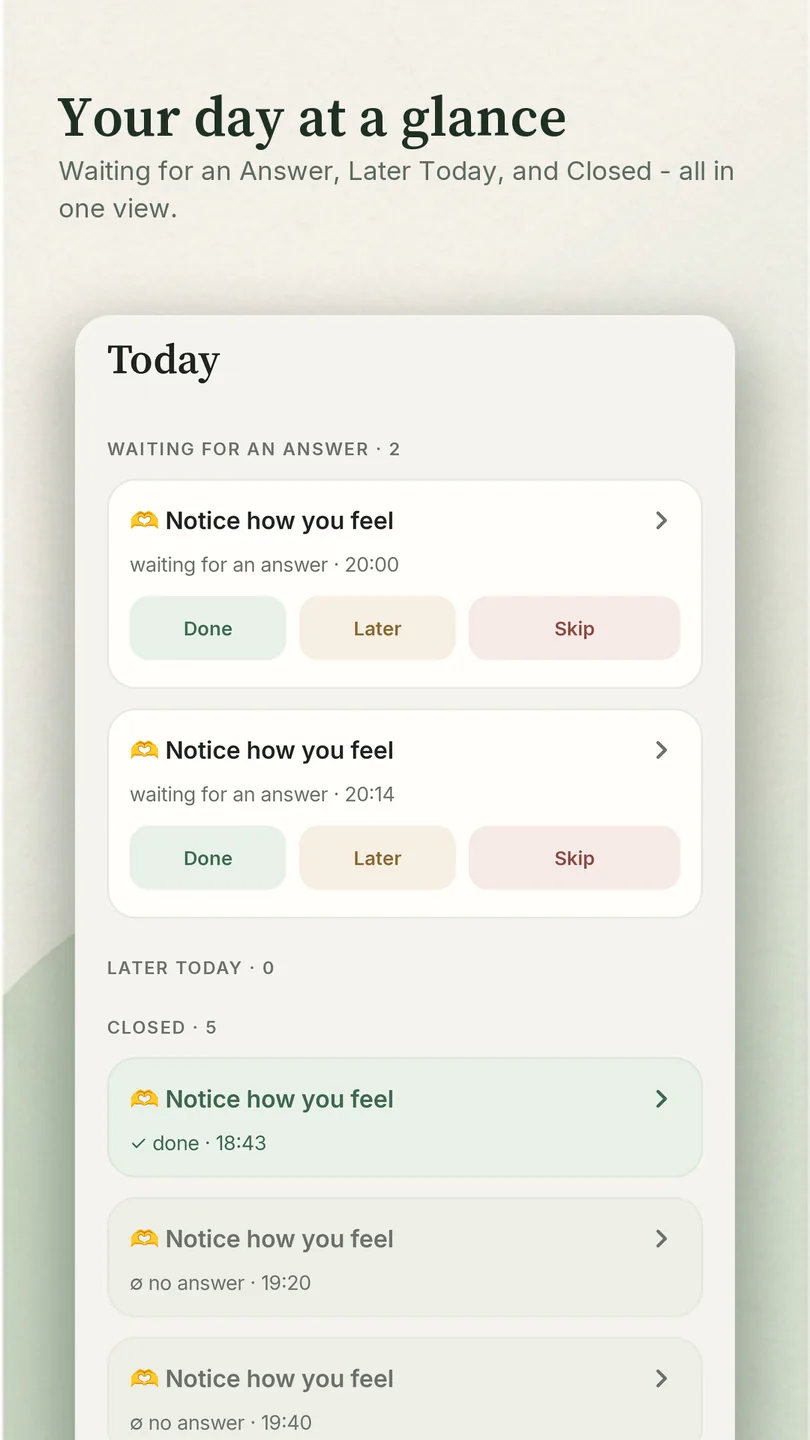
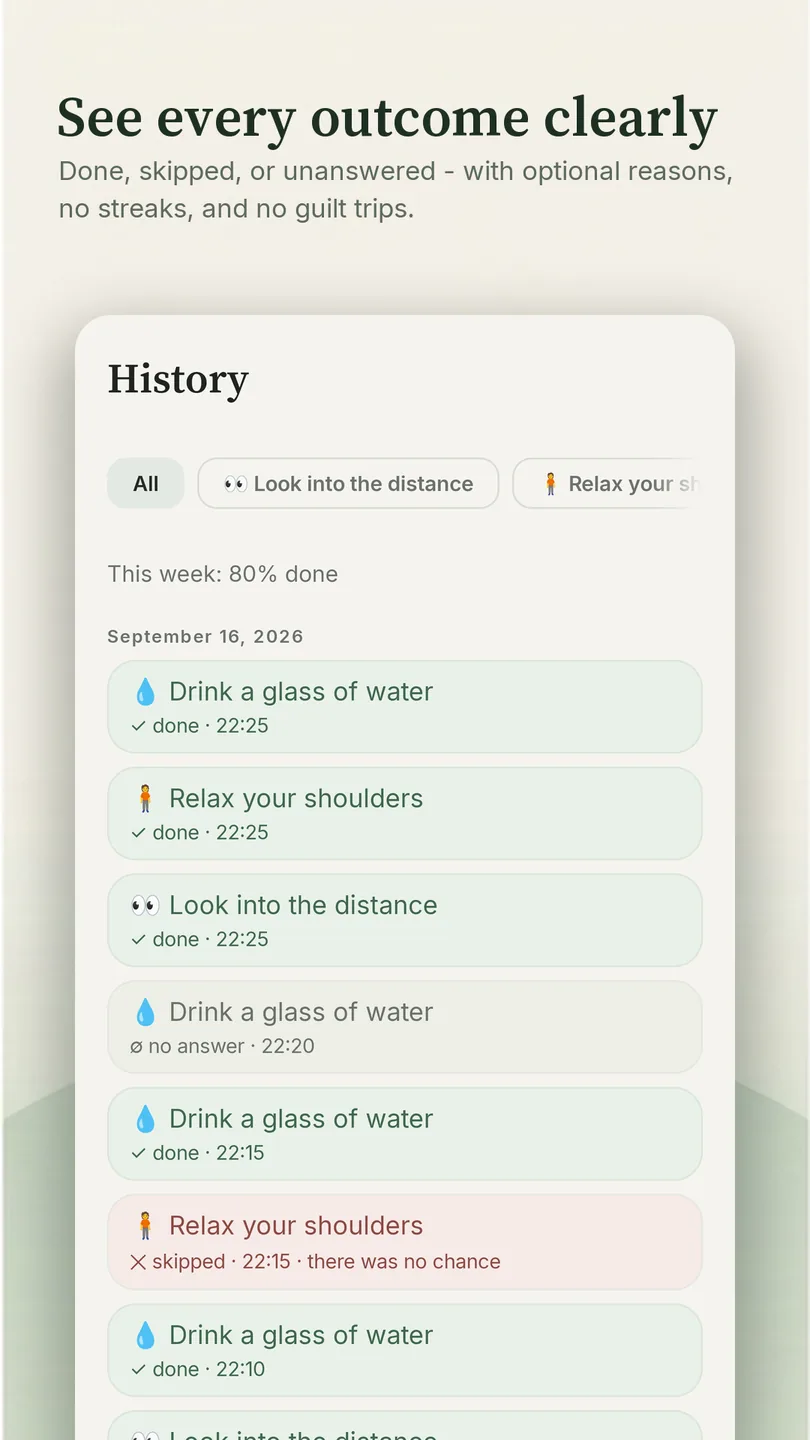
Every answer goes into the history along with the time: done, skipped, or no answer if the notification was left hanging. A week later you do not try to remember - you look at what actually happened.
Skipping breaks nothing
This is not a habit tracker. A tracker turns a skip into a broken streak, and the streak into an obligation to a chart. None of that lives here:
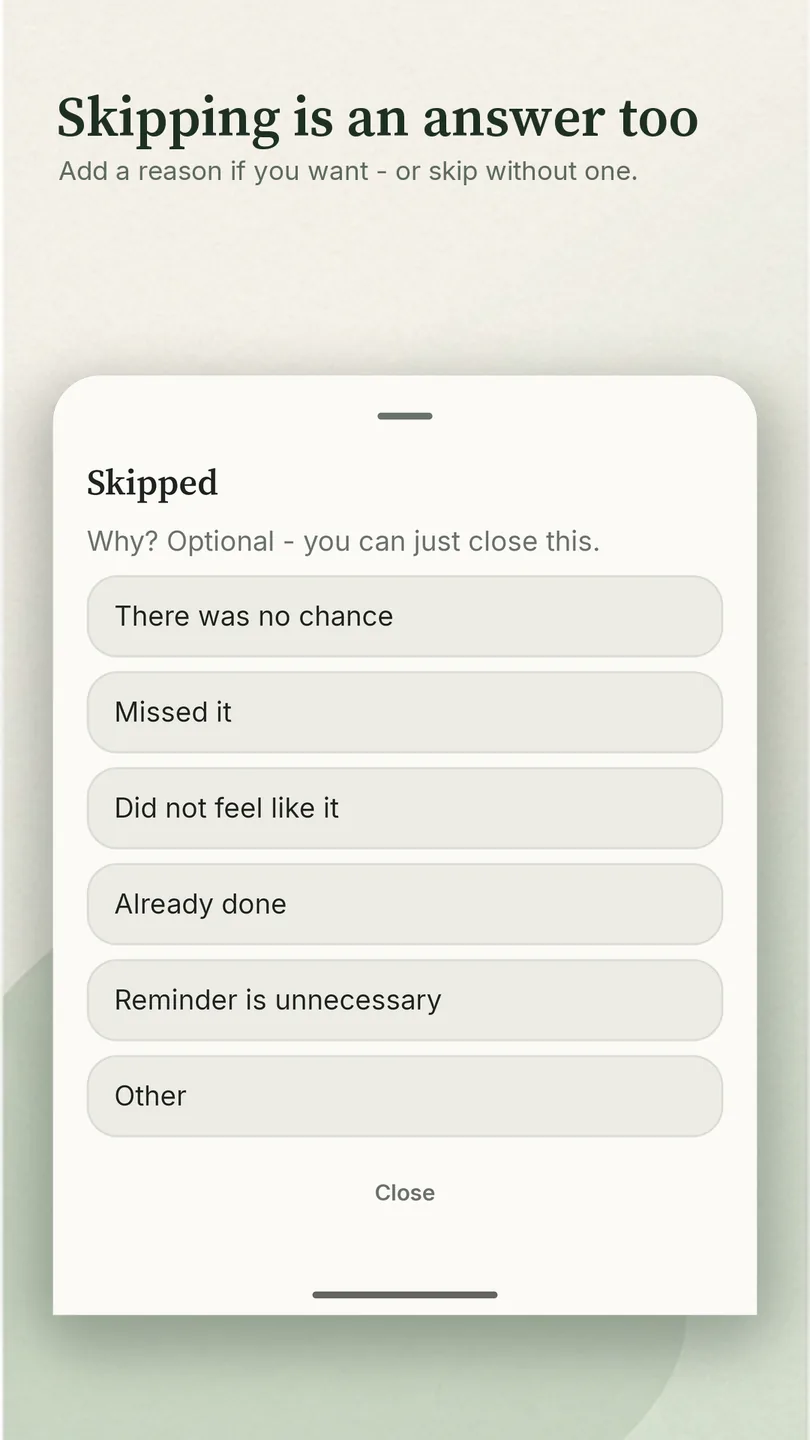
Skipping is allowed, officially. "Skip" is an answer too: the reminder closes, and you can name a reason if you feel like it. The history keeps an honest line - and a week later you can see which reminders are actually getting in your way: easier to remove them than to put up with them.
It is not a planner or a to-do list either. One job: carrying an intention through to done.
"Did I actually do it?"
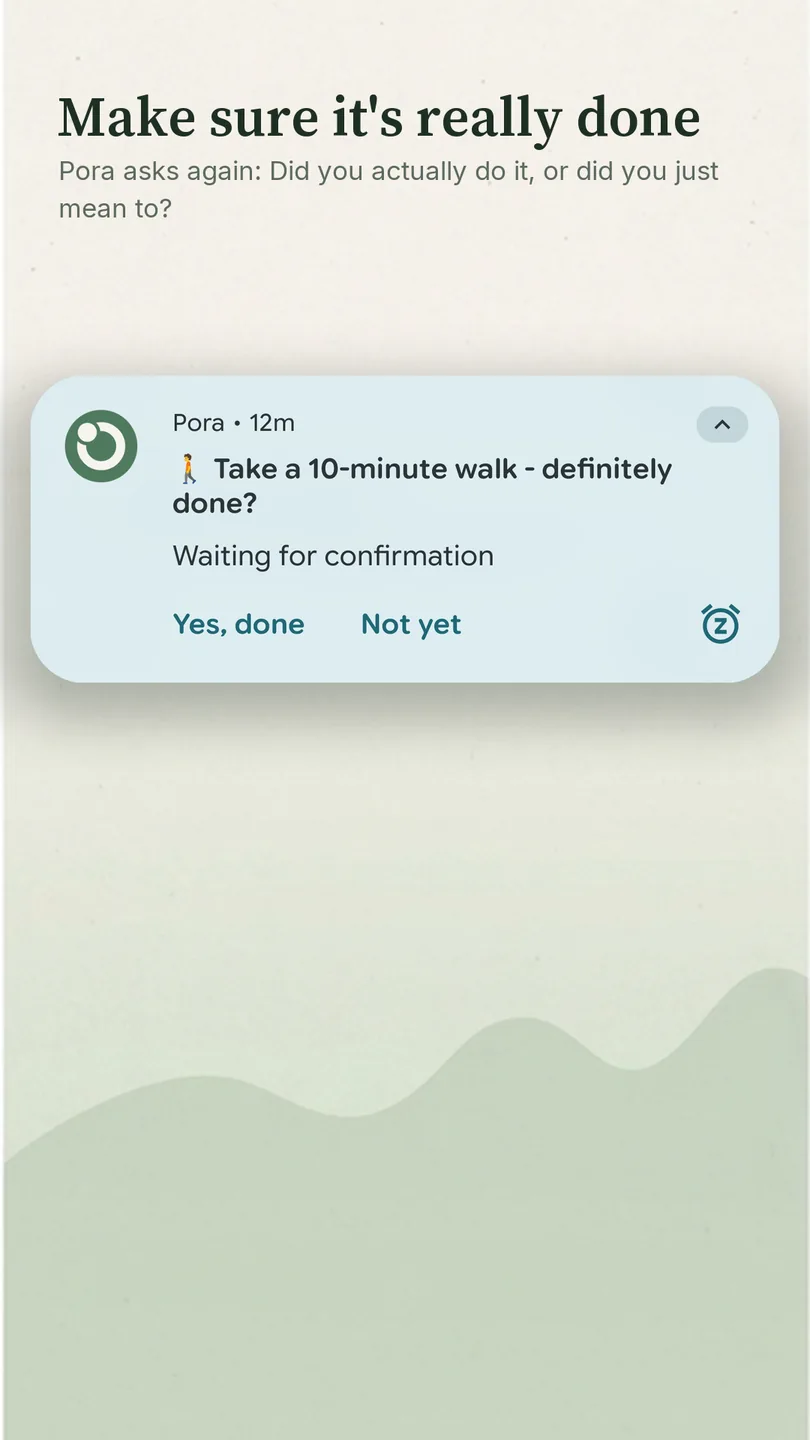
A familiar doubt: was the pill taken, or did it only feel that way? Is the door really locked? Turn on the follow-up and 15, 30 or 60 minutes later a short check arrives - "done for sure?".
Yes, done - the doubt is settled, and the history puts “confirmed” next to your answer. Not yet - the reminder stays open and waits. The follow-up is optional: if that doubt is not yours, you will never see it.
🧘 Take a breath - done for sure?
Waiting for confirmation
30 minutes after the reminder at 9:41
The notification that never came
A notification that never showed up is a familiar Android problem: manufacturers restrict background work to save battery, and the phone stays as quiet as if the reminder had never existed.
The missed task is not the expensive part. The expensive part is that nobody can tell “it never arrived” from “you never did it” - you included. A month later you still cannot say whether this thing works for you: there is no one to ask and nothing to check.
Here you can see whether it arrived
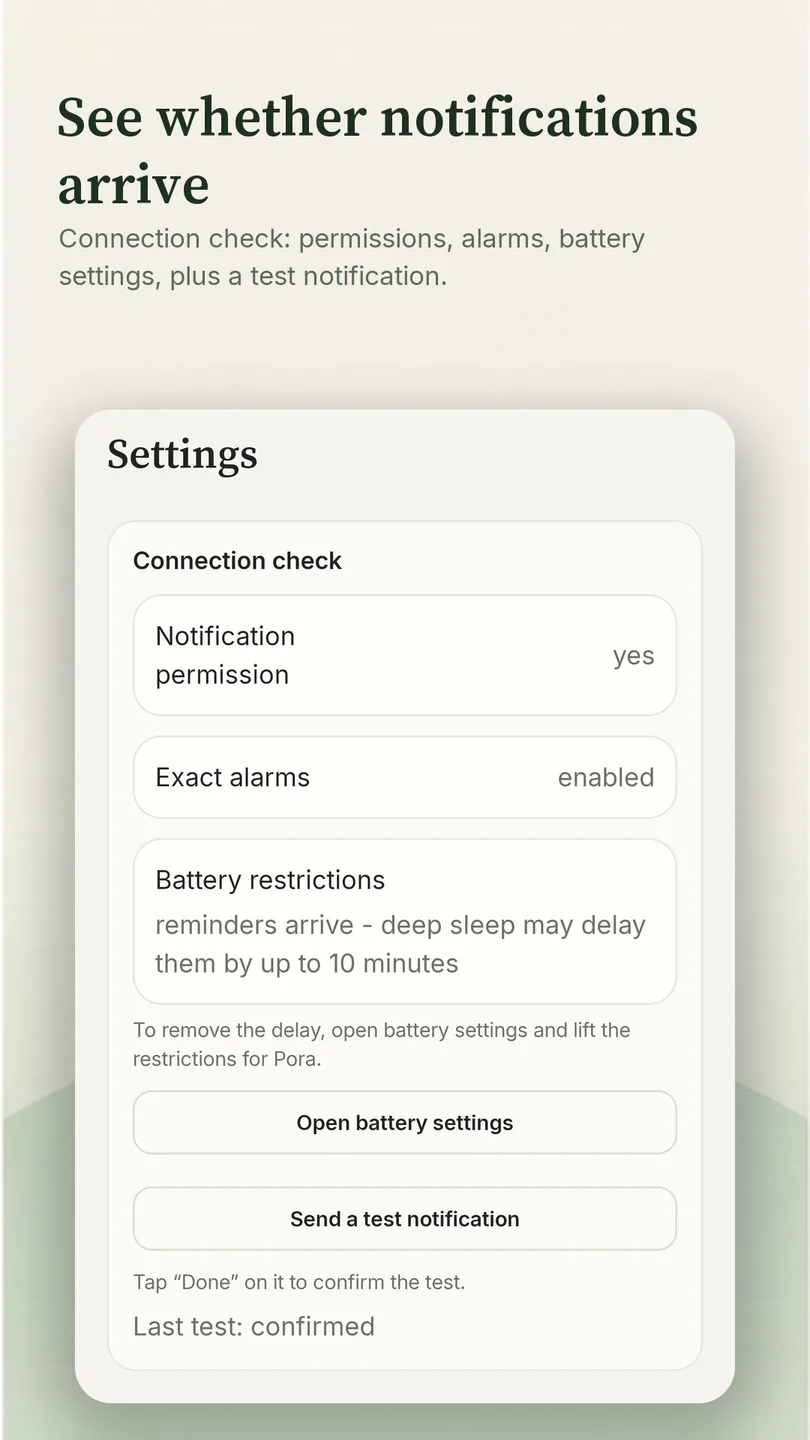
It is not you - and you can see that. If the notification was never shown, the history says not delivered, in those words. You can see that the phone let you down, not your memory. And so that it stops letting you down, the Connection check screen shows what is blocking notifications - permissions, exact alarms, your manufacturer's battery restrictions - and sends a test notification right away, so you can see whether they arrive.
When a task has no right hour
Some things are not tied to an hour at all: stretch, drink water, notice how you feel. Giving them “2 p.m.” is pointless - at 2 p.m. you are busy, and the reminder turns into an interruption. Random within a window spreads them across the day unpredictably, never closer together than the gap you set.
Random within a window
Several times a day at moments you cannot predict in advance. How many times and how far apart is up to you when you create it.
Exact time
A time and the days of the week - for things with an hour of their own: a pill, a call, a report.
At intervals
Evenly spaced inside the day window - every hour or two, for as long as the working day runs.
One-off
A date and a time: make the call, send the documents, pick up the order. Answered - the reminder closes. Water the plants a week after last time - Repeat after Done counts the days for you.
Before you save, the app shows in words what you will get: "On weekdays every 2 hours starting at 09:00; the last one no later than 18:00." You catch a mistake in the schedule straight away, before the first notification.
Plans change, the schedule stays
Today the meeting moved; tomorrow everything is back to normal. Usually that means doing the work twice - first you edit the schedule, then you remember to put it back.
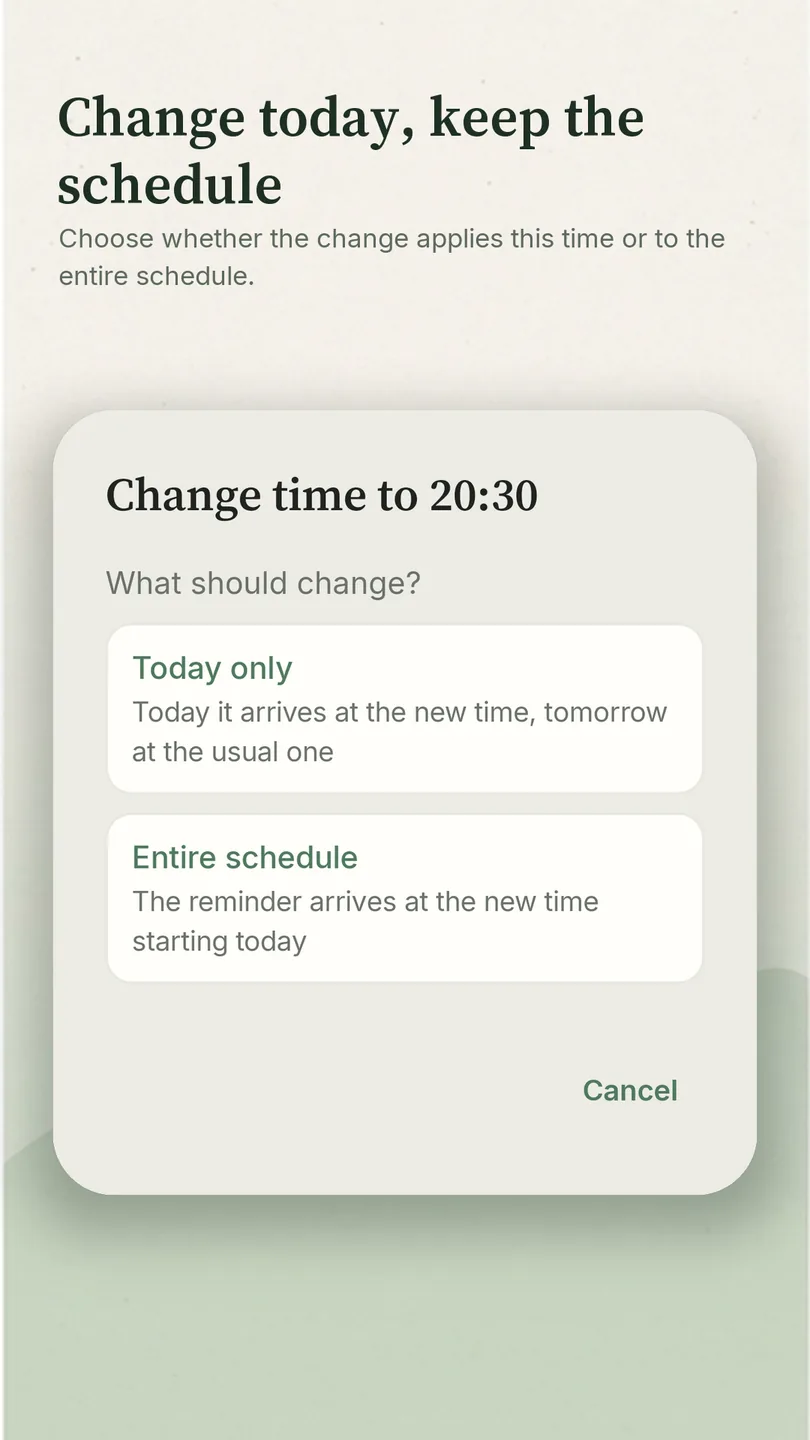
Here the app asks what you meant. Change the time and it offers today only or the whole schedule. Not needed today - skip just this one and the reminder itself stays. Already done? Mark it done early and the notification never arrives.
Tapped the wrong button? The mark changes with one touch, and "Undo" appears next to it.
It is all one tap on a reminder in Today: move it, skip this one time, mark it done early, leave a note or open the schedule. No hunting through settings.
One-off reminders follow the same rules, and your answer stays in the history.
The basics are free, with no ads and no sign-up
- The free part has no time limit. Extra features will be paid. Reminders you have already set up keep working.
- No sign-up. Your reminder texts stay on your phone.
- Works offline. The internet is there for anonymous stats on how reminders behave and for crash reports - reminder texts do not go into them.
The details are in the privacy policy.
The basics are free, no sign-up: install it and use it. Pora is also published in RuStore, but that store serves Russia - anywhere else Google Play is the way in. Android 8.0 or newer.
Questions and answers
Can I install Pora right now?
Yes - Pora is on Google Play, wherever Google Play works. It is also published in RuStore, but that store serves Russia, so anywhere else Google Play is the way in. The basics are free, with no ads and no sign-up.
How is Pora different from an ordinary reminder app?
An alarm and an ordinary reminder app name the time and stop there: swipe the notification away and no trace is left, and if it arrived late or never arrived, there is nowhere to find that out. Here the answer is one tap in the shade - "Done", "Later" or "Skip" - and every reminder keeps its outcome. If the notification was never shown, the history says so instead of leaving an empty line.
How is it different from a habit tracker?
No streaks, charts, rewards or guilt over a skip - skipping is a legitimate answer here, with a reason if you want to give one. One-off errands fit too, the kind you would never turn into a habit with a chart: make the call, send the file, check the thing.
What does the "done for sure?" follow-up do?
An optional check 15, 30 or 60 minutes after the reminder arrives. It settles the doubt of whether you actually did the thing: "Yes, done" confirms the outcome, "Not yet" leaves the reminder open. It is not a second attempt to remind you - it is a way to put the worry down.
Can reminders arrive at random times?
Yes, that is the random-within-a-window mode: several reminders a day at unpredictable moments, never closer together than the minimum gap you set. It fits things with no right hour - notice how you feel, stretch, drink water.
What if I need a reminder only once?
There is a one-off mode: a date and a time. Make the call, send the documents, pick up the order - once you answer, the reminder closes and the result stays in the history. If something comes round again a few days after it is done, turn on Repeat after Done and the reminder returns after the number of days you set.
Is it free?
The basics are, with no time limit. Extra features will be paid; reminders you have already set up keep working. No ads, no sign-up needed, and it works offline.
What data does the app collect?
Reminder texts and notes stay on your phone and are not visible to the developer. What goes out is anonymous information about how reminders behave, technical device data and crash reports. From version 0.1.5 that also includes a rough topic for a reminder - derived from its emoji, something like "food" or "work" - and from version 0.1.10 a topic for emoji searches; the text, the emoji itself and the words you search for stay with you. Feedback is the one thing you send yourself: the text goes out only if you wrote it in the rating form and tapped Send. What exactly, and why, is in the privacy policy.
Is the app itself in English?
Yes, from version 0.1.5. The translation is new and has not been proofread by a native speaker yet, so if any wording feels off, email me - that is the kind of report I need most right now.